What do you do when and entire organization is told, “You Use This Tool Now”? You come to me, of course! In collaboration with Sean Taylor at Technology Doula, I work to, among other things, upskill organizations in the use of new-to-them technology.
Context
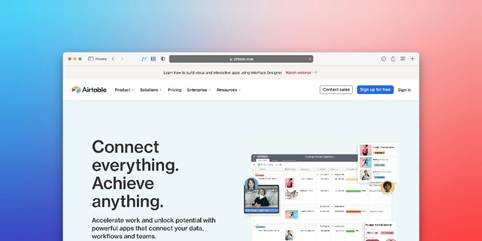
An American non-profit needed a project management solution that could be used organization-wide, seamlessly connecting information across departments and automating workflows. Airtable was identified as the solution. The next challenge, after beginning the long process of transitioning the organization, was preparing users to make the most of the platform. That’s where I came in.
Organization-Wide Training
After first upskilling myself, I began with an organization-wide training experience to level the playing field and ensure that everyone was starting from the same place. This was a virtual engagement that encouraged attendees to follow-along in Airtable as I demonstrated how to navigate the home screen, access shared interfaces and bases, and differentiate workspaces, bases, tables, and records. I designed a mini task for attendees to complete in Airtable during the session to get them in the system and reduce any anxiety they might have had about accessing a new tool. I ended with a discussion about how Airtable is more than just a spreadsheet (a commonly used tool at the organization) and how it could be leveraged to streamline work and processes.
Team-Specific Conversations
Next was a long process of finding time with representatives from each of the teams who would be using Airtable most intensely. I sent out exploratory emails, based on what I knew about how the organization worked thus far, to request a meeting and ask team-specific questions. In these meetings, I dove deeper into their pre-session answers, demonstrated techniques live in Airtable, and generated a list of follow-up resources each team needed. I tailored my approach in each session based on whether I was talking to an already proficient user who had taken the initiative to start learning on their own, or an individual who was completely new to Airtable. Following each session, I created user guides and detailed next steps for each team to continue their Airtable journey.
Next Steps
Several next steps are being considered with the client, and mainly fall under the heading of Specialized Training:
- Training aimed at executives who don’t need to know every detail of the system, but who may need to support their supervisees or use Airtable outputs.
- Training for departments who want to push the envelope and innovate in the system.
- Training to meet specific business needs that have already been identified, such as how to check the quality of data being used to generate reports.
Conclusion
Each organization or group will have different needs when it comes to learning a new piece of tech. The key is meeting them where they are, aligning technology with their actual business needs, and moving forward as a team that is exploring the ‘newness’ together.